Publish HTML Website Turn AI-Generated HTML into a Real Website
Publish HTML website pages from ChatGPT, Claude, Gemini, or your own code. Preview the page, optimize the SEO basics, and launch static HTML as a live website in minutes.
Works for static HTML pages, AI landing pages, SEO pages, MVP demos, and client previews.
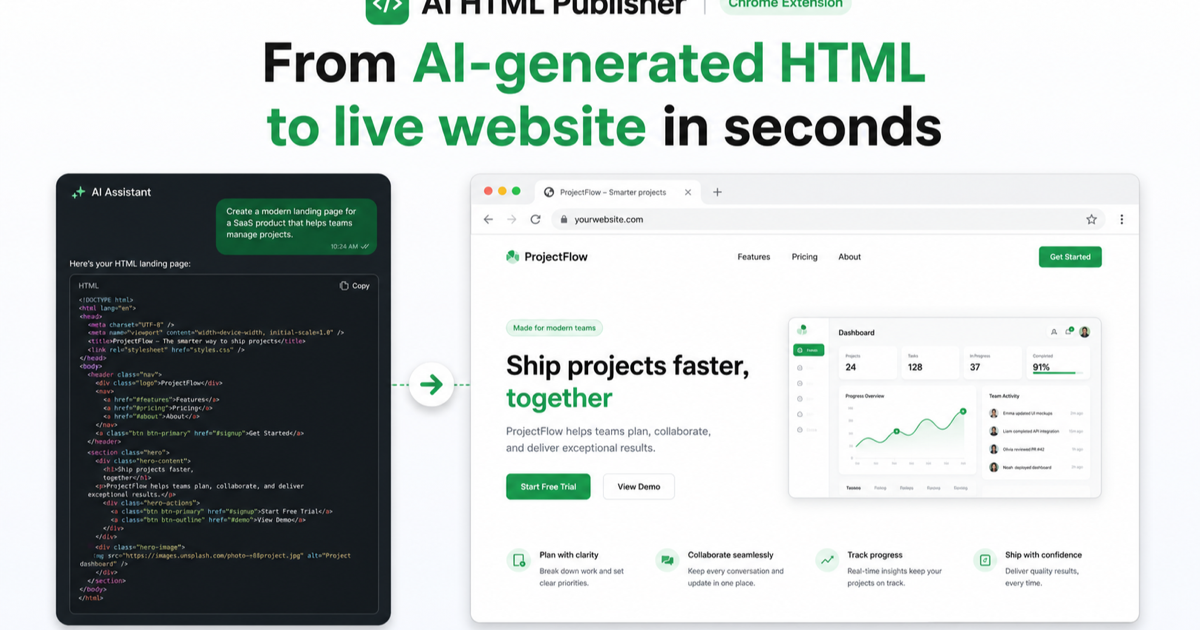
Simple workflow
How to publish HTML in 5 simple steps
From AI code output to a live SEO-ready website, without wrestling with a full web stack.
Generate HTML
Ask ChatGPT, Claude, Gemini, or your editor to create the page code.
Detect the page
Separate the real HTML from notes, markdown, or extra AI explanation.
Preview layout
Check desktop and mobile before you publish the HTML website.
Add SEO fields
Set title, description, canonical URL, Open Graph, and schema.
Launch the URL
Publish to hosting, test the final link, and share the live page.
Step 2
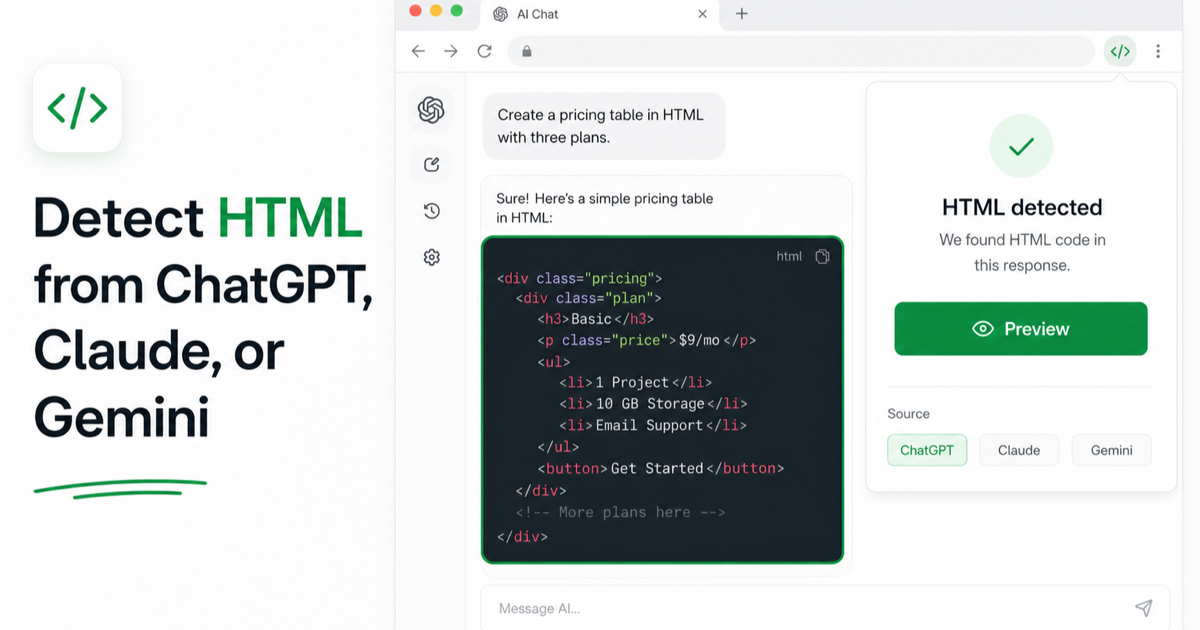
Detect HTML from ChatGPT, Claude, or Gemini
This image shows the extension finding an HTML code block inside an AI chat and offering a Preview action. It belongs with the detection step, not the deploy or sharing section.
Step 3
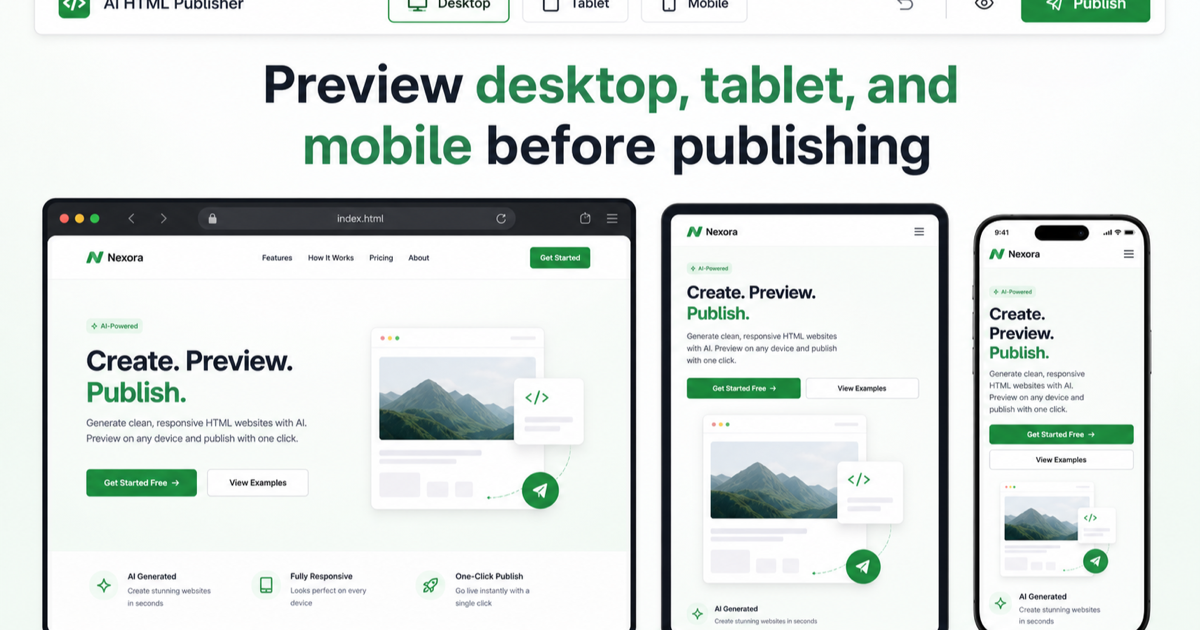
Preview desktop, tablet, and mobile before publishing
This screenshot is specifically about responsive preview, so it now sits beside the preview step where users check the page before it goes live.
Step 5
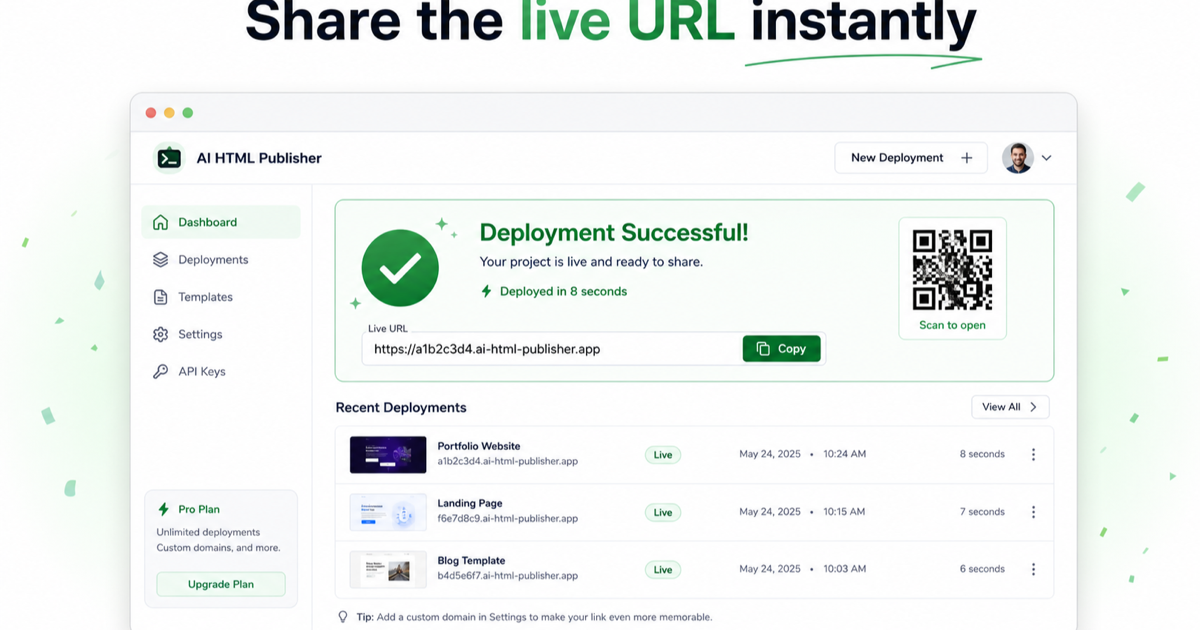
Share the live URL, QR code, and deployment history
The deployment-success image shows the final output: a live URL, QR code, and recent deployments. It belongs with the launch/share step.
Publishing destinations
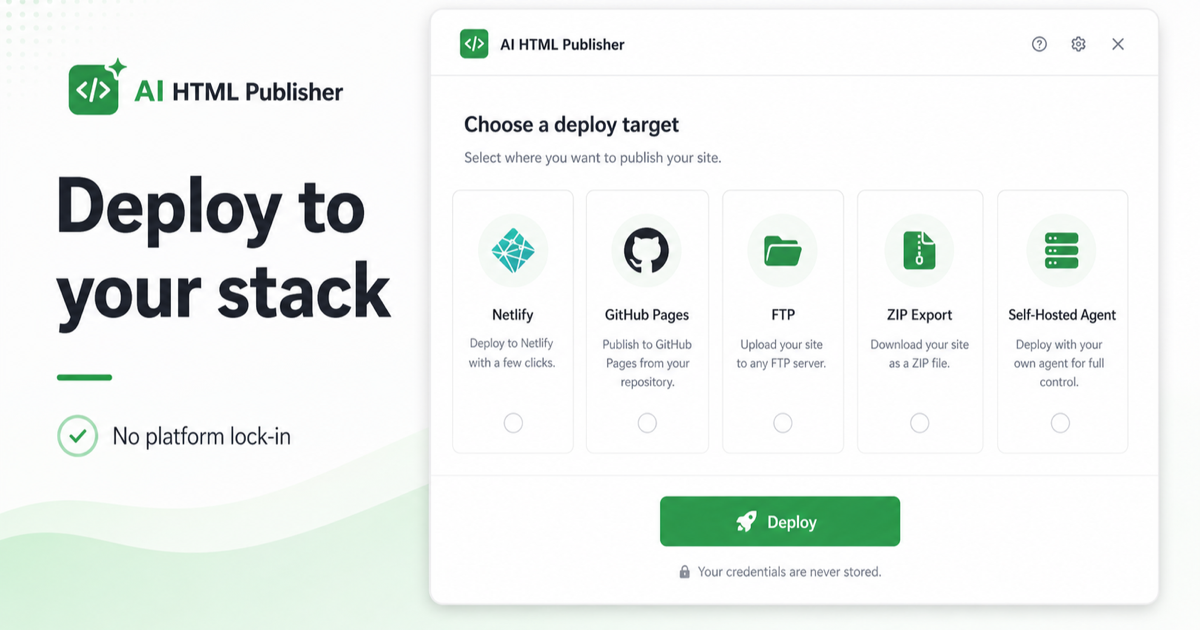
Places where you can publish your HTML website
Choose the deployment path that fits your team, domain, and update workflow.
Netlify
Fast CDN, HTTPS, previews, and custom domains for static HTML pages.
Vercel
Global edge hosting and instant previews for lightweight website launches.
GitHub Pages
Version your HTML website and publish updates from a repository.
FTP Hosting
Upload HTML, CSS, and assets to an existing hosting account.
AIWeb
Manage the HTML as a landing page with SEO fields and reusable workflows.
Download ZIP
Package the page files for manual upload, review, or client handoff.
Useful features
Everything needed to publish HTML website pages cleanly
A good publishing workflow protects the layout, search metadata, and final link before traffic arrives.
HTML detection
Find complete HTML blocks from AI output and prepare them for publishing.
Responsive preview
Review desktop, tablet, and mobile before the page becomes public.
SEO controls
Add title, meta description, canonical URL, OG tags, and schema markup.
Published history
Keep links, updates, and republish workflows easy to find later.
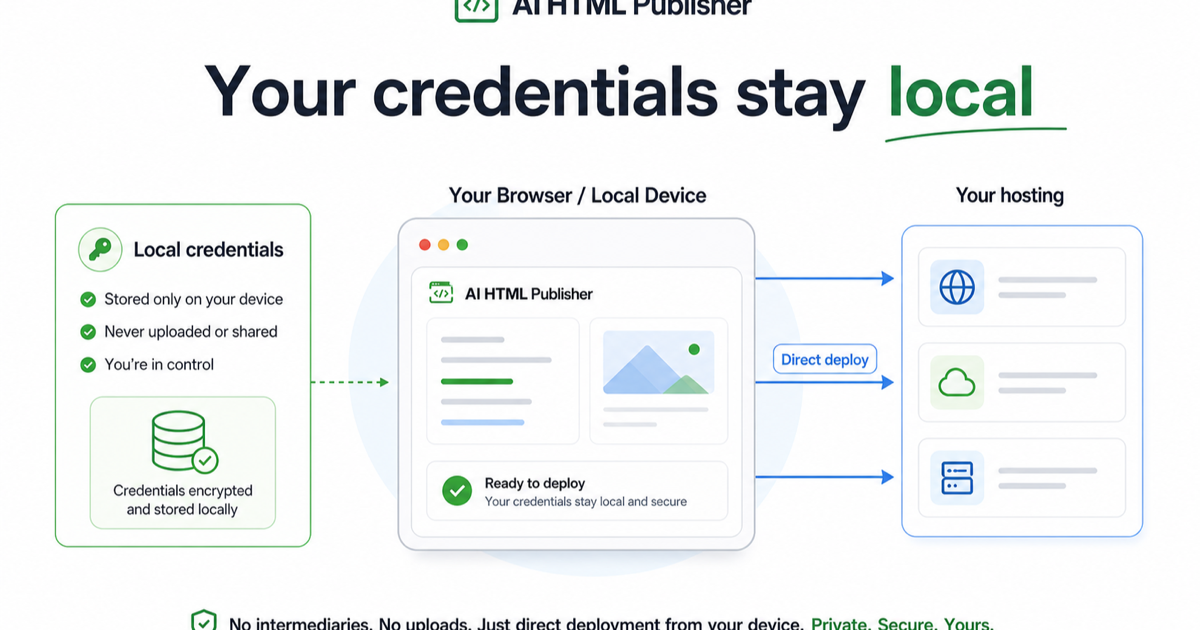
Credentials stay local
This image explains the privacy model: credentials stay on the user's browser or local device, then deploy directly to hosting. It belongs in the security section.
Ready to publish your first HTML website?
Install HTML Deployer to detect AI-generated HTML, preview the page, choose a deploy target, and publish a live URL.
Install HTML DeployerWhat publishers say
Built for quick page launches
For founders, marketers, builders, and agencies who turn AI HTML into live pages often.
"We use AI to draft HTML pages, then publish them as client previews before the next meeting."
Mia L., Agency owner
"The best part is the SEO checklist. A live HTML page is only useful if it can be found."
Daniel K., Growth marketer
"Publishing static HTML lets us validate landing pages quickly without building a full app."
Arun P., Indie builder
FAQ
Frequently asked questions
What does "publish HTML website" mean?
Can I publish HTML generated by ChatGPT or Claude?
What SEO fields should I set before publishing?
Can SlimAI help publish the page on AIWeb?
Start publishing HTML websites today
Create the page with AI, preview the HTML, add SEO metadata, and ship a live URL that is ready to share.
Add to Chrome